🎯Profit Fixation (Fix Profit)
The Fix Profit function allows you to partially or fully withdraw profits from an active trading robot without stopping its operation. This is the primary tool for managing earned capital.
When to use Fix Profit:
✅ Securing partial profits — withdrawing earned funds upon reaching target levels.
✅ Portfolio rebalancing — redistributing capital among different robots.
✅ Taking income — regularly receiving profits for personal needs.
✅ Risk reduction — decreasing the amount allocated to a robot after significant growth.
Step-by-step guide:
1. Go to the profit fixation section
On the main screen, find the active robot from which you want to withdraw funds.
Tap the "Lock in" button on the robot's card.
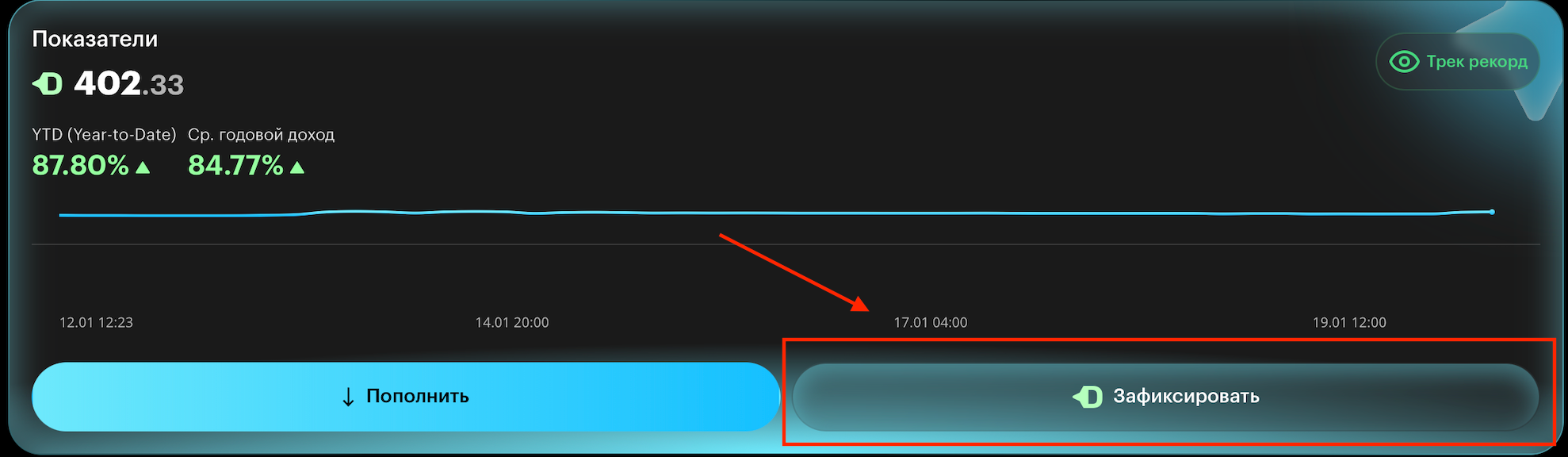
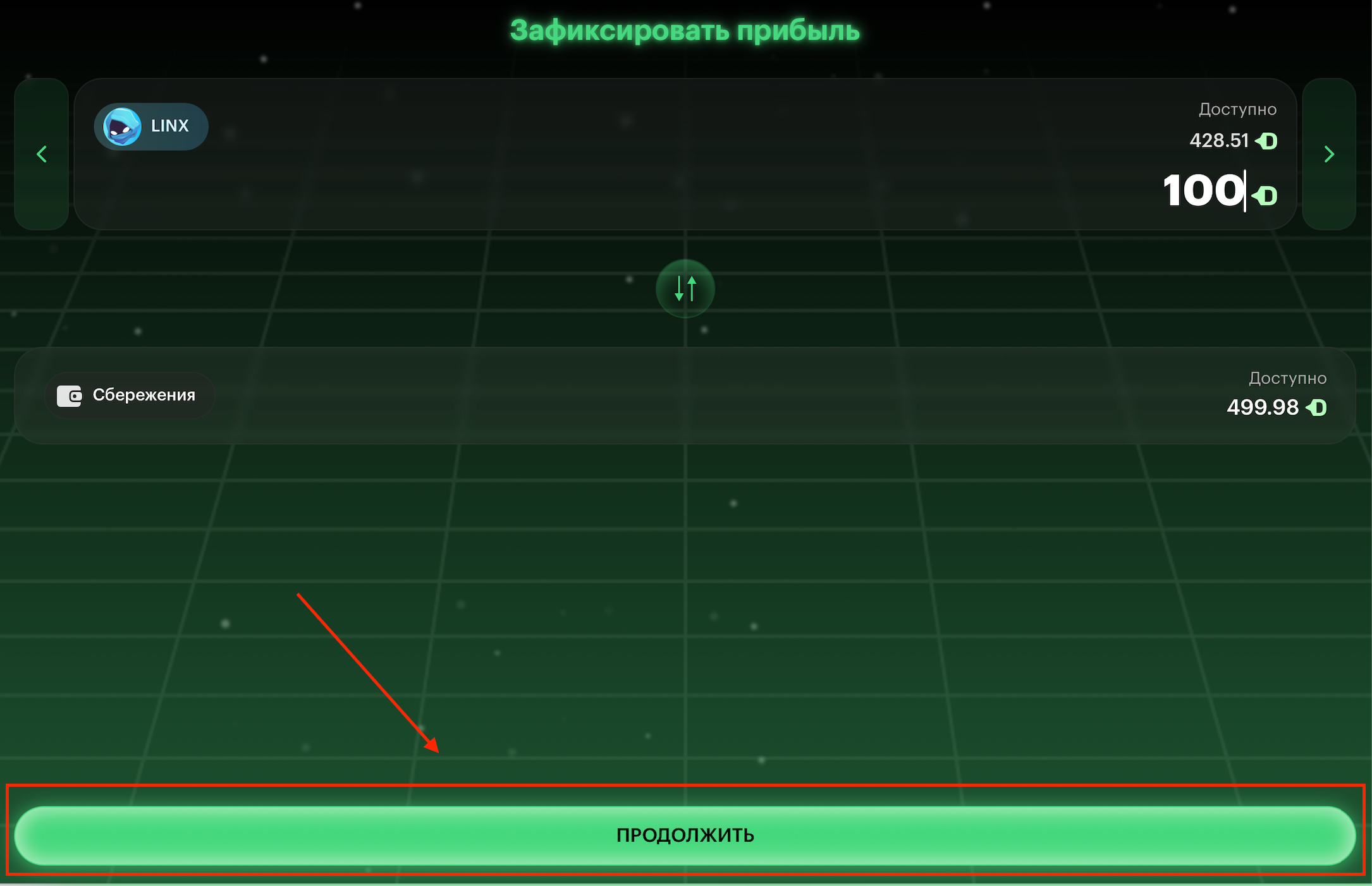
2. Select the withdrawal amount
On the "Lock in profit" screen, you will see:
Available on the robot — the robot's current balance.
Available in Savings — your total savings balance.
Enter the amount to withdraw.
Tap "CONTINUE".
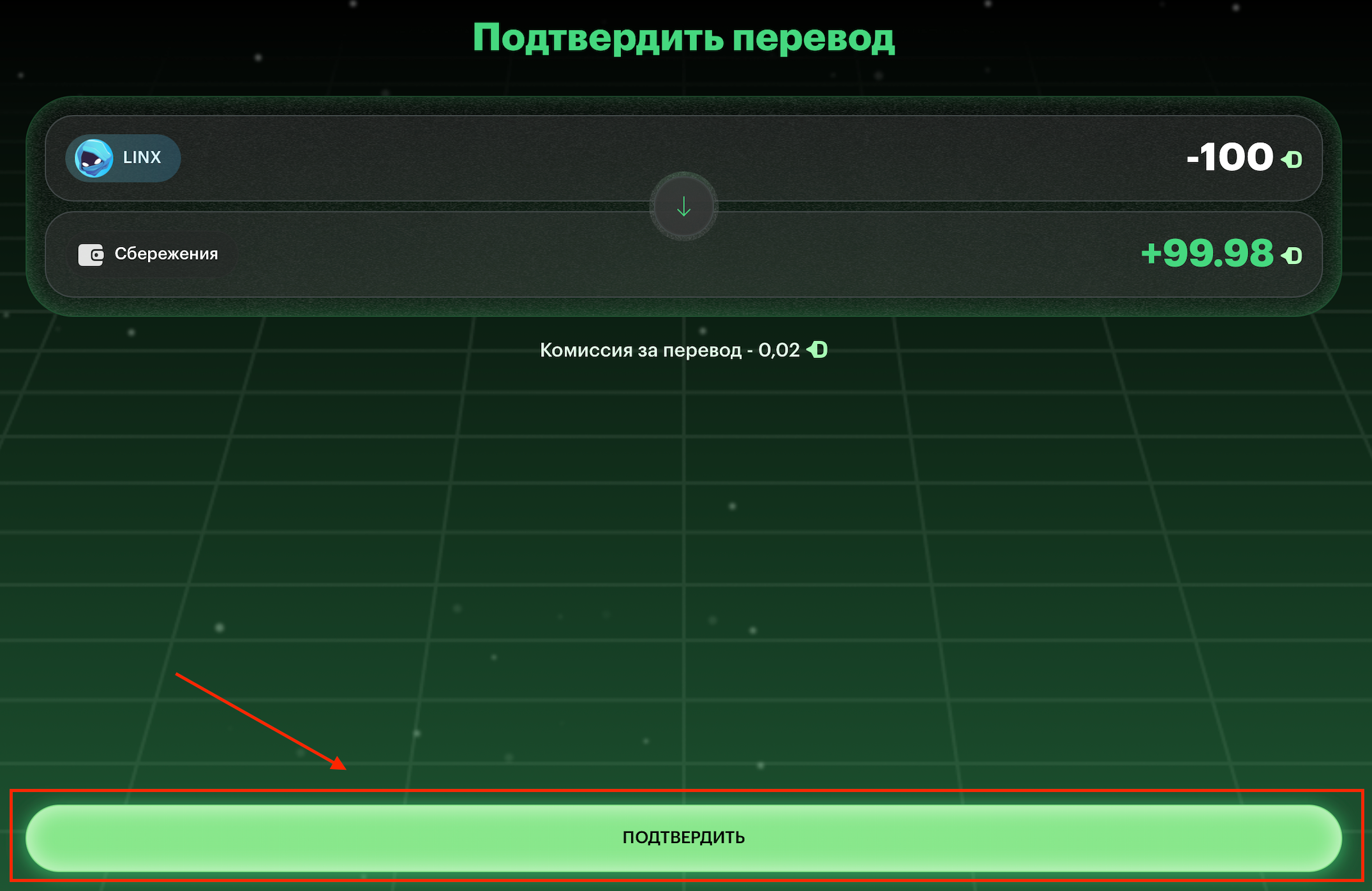
3. Confirm the Transfer
The system will show the operation details:
Deduction from the robot (e.g.: LINX -100 USDT)
Credit to savings (e.g.: +99.98 USDT)
Transfer fee (fixed at 0.02 USDT)
Carefully review the amounts
Tap "CONFIRM"
4. Complete the operation
The transfer is executed instantly.
Funds are immediately deposited into the "Savings" section.
The robot continues trading with a reduced balance.
You can track the updated balances:
Trading — the sum on all active robots.
Savings — funds available for withdrawal or reinvestment.
PNL — the overall profitability of your portfolio.
Important features:
🔸 The robot continues working
After profit fixation, the robot does not stop. It continues trading with the remaining balance, preserving all settings and history.
🔸 Multiple uses
You can fix profit multiple times:
From one robot — making partial withdrawals at different times.
From different robots — simultaneously withdrawing from several strategies.
🔸 Transfer fee
A fee is charged for each profit fixation operation. This amount is accounted for when confirming the transfer.
🔸 Minimum amounts
Minimum fixation: 10 USDT
Minimum balance left on the robot: 10 USDT (if you want to keep the robot active)
Usage example:
Initial conditions: LINX robot with a 500 USDT balance.
Robot earned: +50 USDT in a week.
You fix: 100 USDT of profit.
Result:
Remaining on LINX: 450 USDT (continues trading).
Deposited into Savings: 99.98 USDT.
Fee: 0.02 USDT.
Recommendations:
📊 Regular fixation — set up periodic profit withdrawals (e.g., monthly). ⚖️ Risk balancing — after a large gain, reduce your exposure by fixing part of the profit. 🎯 Target levels — use Fix Profit when reaching pre-defined profitability goals.
Last updated